We’ve just rolled out a new feature in the Point Nine Portal that makes exporting reports faster, easier, and more flexible for our clients.
Bulk Export from the Jobs Page
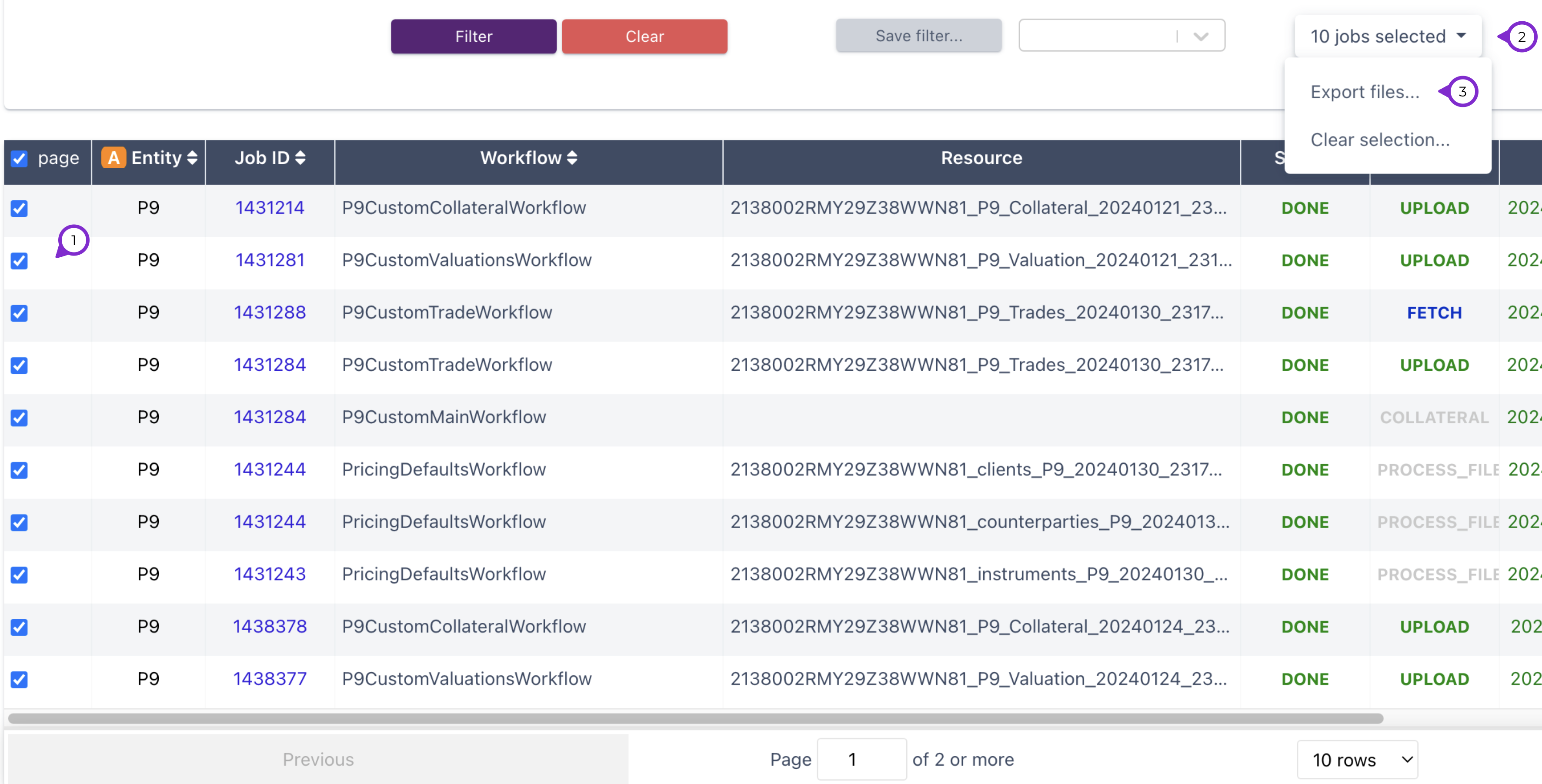
Clients can now bulk download inbound and outbound workflow reports directly from the Jobs page in either CSV or XML format.
- Outbound CSV reports come with two helpful options: you can combine multiple reports into one file, and you can also check the report history.
- Exports can include up to 100 workflows at once, making large-scale downloads much more efficient.
- To refine the data, clients can apply a date range or use the general search to export by integration, file type, file name, or workflow. This is especially useful when looking at longer reporting periods or very specific sets of data.
- Send email confirmation once the report is ready
Scheduled Report Delivery
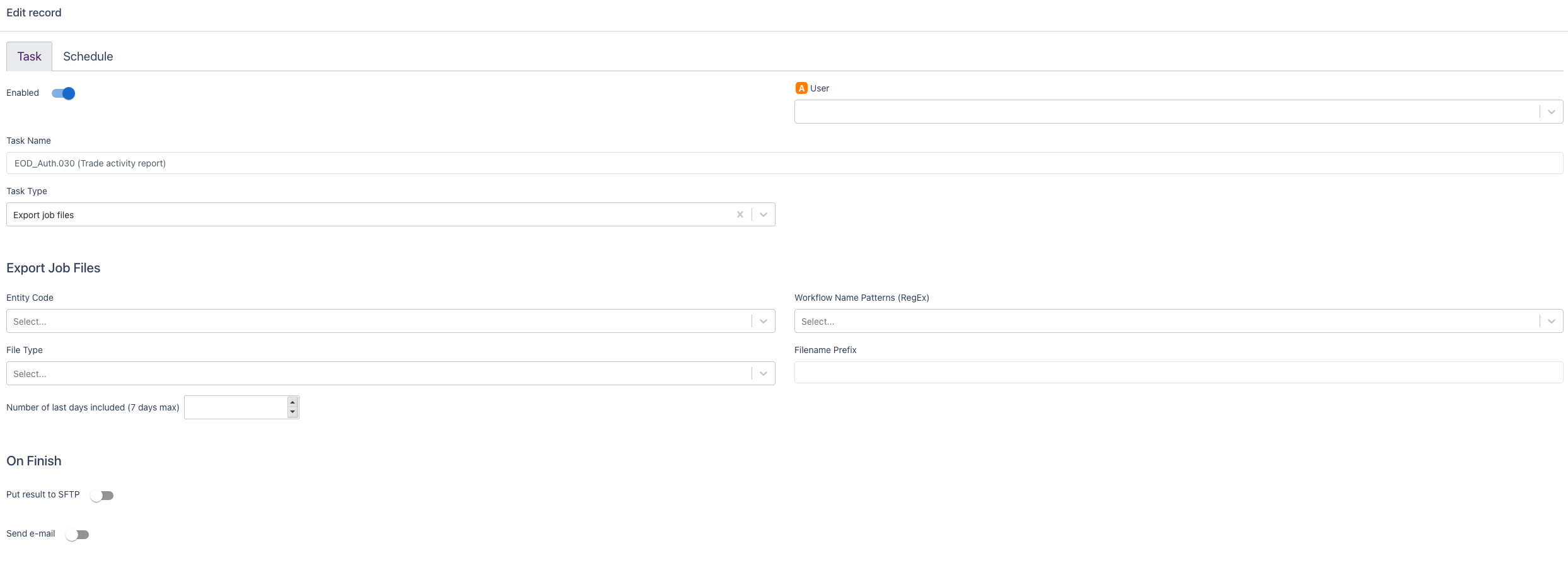
We’ve also added a new Scheduled Task section. This allows clients to set up automatic exports directly to their SFTP.
- Both inbound and outbound reports can be scheduled.
- Outbound CSV reports can again be combined into one file for simplicity.
- The TR End-of-Day (EOD) Report can also be scheduled for daily export, ensuring data is always ready when needed.
- Send email confirmation once the report is ready
- Exported reports will remain available in the portal and SFTP for 7 days before they expire.

At Point Nine, we specialise in trade and transaction reporting across global regimes, including EMIR, UK EMIR, ASIC, SFTR, and MiFIR. This new functionality is another step in our ongoing effort to provide clients with efficient tools that simplify reporting and make daily operations smoother.